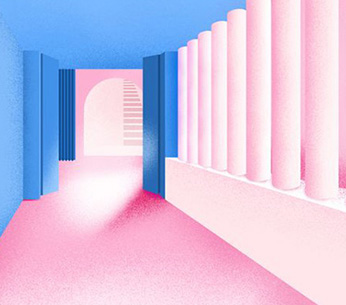
Font creativity of the collection: use the visualization technique of shadow as the font. The knowledge point of the collection shared this time is: how to use the visualization technique of shadow as the font to create a visual space full of dreams and surrealism! This kind of color application is not only dazzling, but also deeply rooted in the hearts of the people, guiding the audience into the artistic conception that the works are intended to convey.
As you can see from the work I shared in the picture, the use of divergent lines and shadows is a major feature. These lines and shadows not only give the picture a sense of motion, but also guide the viewer's line of sight through changes in direction and length, making the whole picture full of flow and vitality. The innovative method of using "drag shadow as font" to design momentum undoubtedly enhances the expression of characters in the screen. Through the extension and change of the shadow, the static text seems to be endowed with dynamic force, showing a variety of dynamic effects, such as rising, diverging, falling, and so on, while also adding more levels and depth to convey information.

Visual Skills of Font Creation in Works Collection
◆ To achieve this effect, natural light Art study abroad The following steps are summarized for reference:
© Select font and design shadow direction: first, select a suitable font and determine the direction of the shadow. For the rising effect, the drag shadow can be extended upward; For the divergence effect, the shadow can spread around; For the drop effect, the shadow can extend downward.
© Create a shadow effect: Create a new layer below the font layer to draw a shadow. Use a color similar to or slightly lighter than the font color to draw a shadow along the edge of the font. You can use the brush tool or the selection tool to complete this step.
© Adjust the transparency and blur of the shadow: Adjust the transparency and blur of the shadow layer as needed. The shadow with lower transparency and higher blur will present a softer and more natural effect.
© Apply gradient and dynamic effects: To further enhance dynamic effects, you can apply gradient effects on the shadow layer. For example, for the rising effect, you can use a gradient from dark to light; For the divergence effect, you can use a gradient from the center to the periphery; For the drop effect, you can use a gradient from light to dark. In addition, you can use a dynamic blur filter to simulate motion effects.
© Copy and adjust layers: Copy font and shadow layers and adjust their position, size and angle to create more complex and vivid dynamic effects.
© Fine adjustment and optimization: finally, fine adjustment and optimization of the overall effect. You can adjust the color, brightness, contrast and other parameters of each layer to make the overall effect more harmonious and unified.
✅ It should be noted that the specific implementation methods may vary depending on the design software or tools used. The above steps provide a general idea and method, which can be adjusted and modified according to the actual situation.
How about the cost of studying abroad in European countries?
This article belongs to the original article of Natural Light International Art Education Team. Without permission, it cannot be reproduced commercially in any form. If it is found, it must be investigated for legal responsibility.