For the students who are preparing for the collection of works at this stage, whether they are zero based, professional or have many years of professional foundation, learning some new design software is one of the ways to help us further explore the field and expand our thinking. Therefore, today we would like to recommend some practical, professional, or special, niche software to share through the experience of "insiders" in six major departments! Add buff to the creation of works of six major disciplines!
Collection production software sharing:
Department of Pure Art Illustration
[The learning and application of software in Pure Art Illustration is the most controversial part. In many people's concepts, art is metaphysical. In the art field that always pays attention to "hand work", which software can further enlarge the style without setting a framework?]
Easy Paint Tool SAI
Field of illustration
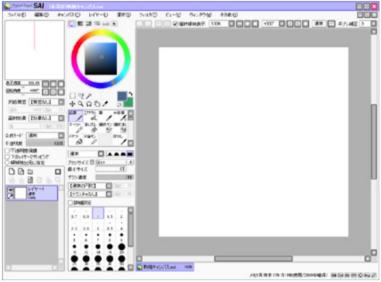
SAI is a drawing software created by SYSTEMAX Company in Japan, and is also a design software commonly used by illustration designers and CG designers at present.
The biggest advantage of SAI is that it is very compact, installation free, very user-friendly, and easy to operate. Basically, the drawing function SAI that PS can achieve can meet. It is compatible with the hand-painted drawing board. The drawing board can rotate and flip the canvas 360 degrees at will, anti aliasing when zooming, and vector drawing tools including airbrush, watercolor pen, marker pen, etc.
Applicable crowd: exercise hand drawing ability, CG lovers, and digital illustration style creation
Procreate
Field of illustration/hand painting

Procreate is currently a very popular painting application collection production software, which can be connected to IPAD to help us record inspiration at any time. Professional function sets can be used for sketch, color filling, design and other hand painting formal arts.
Procreate combines the actual advantages of the digital platform, and at the same time, it maximizes the reproduction of the real drawing effect. The software provides more than 130 brushes, layers, mixing modes, masks, etc. The painting process can also be directly exported in the form of video, and pictures can also be stored in PSD format.
Students can also buy a variety of brush effects and color matching in a treasure, and develop their own material library as far as possible. It is also very simple to operate. We can find many artists' tutorial videos on YouTube.
Applicable crowd: as a portable sketchbook recording inspiration, hand drawn illustration creation, comic sense
ZBrush
Sculpture/Device Modeling

ZBrush is a digital engraving tool that combines 3D/2.5D modeling, texture and painting functions. ZBrush is similar to traditional sculpture. Its core idea is "add" and "subtract". It can be changed into any 3D object you want through simple operation.
And compared with other 3D software, Zbrush is very easy to use and suitable for beginners to learn. It has many kinds of brushes and models, depending on the imagination of users. Only a few commonly used brushes can make many models with excellent effects.
Applicable crowd: large-scale sculpture, space device modeling and prototype creation
Department of Visual Design
[The Department of Visual Design needs the cooperation of software to achieve creation. Some planar 2D software, including PS, AI, Coreldraw, InDesign, are also regarded as the standard configuration for students majoring in visual direction. But nowadays, visual design works are not only limited to the 2D field, we also need to master more rich software skills.]
Processing
Visual programming software

The biggest advantage of Processing is that it is a programming software specially designed for visual arts and an extension of the Java language. In addition, it is also a software that can download and install plug-ins for free.
It is also widely used in visual arts, such as UI design, animation, image processing, interactive programs, etc. In addition, a large number of code sharing can be seen in the resource library of the Processing official website, which makes it easy for novice students to obtain materials and tutorials.
Processing can conduct visual experiments and image production processing for the application of visual works, and can easily create static/dynamic images with order and regularity. The form of works involves interaction, plane, visual communication, animation, pure art Etc.
Applicable crowd: any design works involving simple programming, dynamic images and UI models
CorelDRAW
Vector graphics production tool
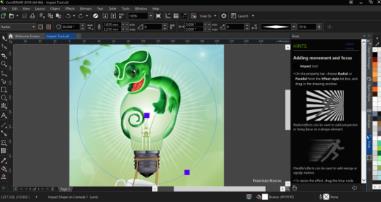
CorelDRAW is a vector graphics production tool software and also a highly utilized software in the field of visual design. It can produce vector animation, page design, website production, bitmap editing, dynamic pictures of web pages and other functions.
The most powerful function of CorelDRAW is that it contains two drawing applications: one for vector graphics and page design, and one for image editing. It can provide students with visual interactive creation tools to create a variety of dynamic special effects.
At the same time, CorelDRAW's visual image processing program is also very comprehensive, which fully reduces the difficulty of manipulation, makes it easier to accurately create the size and position of objects, reduces the operation steps, and saves design time.
Applicable crowd: students majoring in graphic design and visual communication
Adobe InDesign
Image typesetting
InDesign is a software application produced by Adobe dedicated to image processing and typesetting. It can be used to design posters, books, magazines, publications, collections and other works. InDesign has also introduced software for IPAD, which is more convenient to operate.
For book design and Composition design of works For example, InDesign is very useful. InDesign supports XML, style sheets and other encoding tags. It is suitable for exporting and printing tagged text content for other digital and online formats.
Applicable crowd: book design, collection layout
Digital media system
[The digital media system is one of the major demands for software. The software skills in animation, game design, film and other fields included in the digital media system directly determine the effect of the work. In addition to the software applicable to the plane vision field mentioned above, digital media also has more unique tricks.]
TVPaint Animation
Animation
VPaint Animation (also known as TVMaint, TVP) is a 2D painting and digital animation software package developed by a French company. TVPaint is one of the most commonly used software for large international animation companies at present, and CalArts Animation has also set up special training courses.
TVP's brushes are rich and natural. The imaging effect is mainly in the form of bitmap, which will have an effect close to hand painting. This software is also relatively easy to learn and use, both like hand drawn effects, stylized 2D animation performance.
Applicable crowd: just needed for animation creation
Adobe Audition
Audio Editing
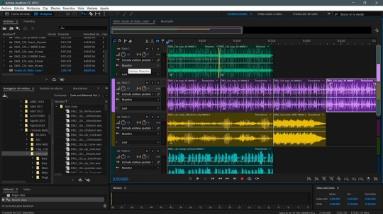
AU, also a member of Adobe, is a professional audio editing and mixed sound effect design software, which can provide advanced audio mixing, editing, control and effect processing functions.
Compared with a perfect online multi-channel recording studio, AU can provide flexible post audio processing for multiple majors such as movies, animations, games, etc., and it is very easy to operate and use. You can mix up to 128 channels, or edit a single audio file through a variety of processing effects.
Applicable crowd: any works that need to process audio
Final Cut Pro
Film Editing
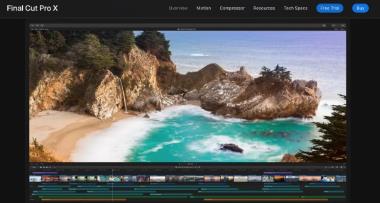
Final Cut Pro is a professional video non-linear editing software developed by Apple, and is also the most commonly used software for professional film post editing at present. Final Cut Pro includes all functions necessary for post production, such as importing and organizing media, editing, adding effects, improving sound effects, color grading, and delivery.
There is a very important functional design in FCP - "Magnetic Timeline", which is our material management. For a complete film, the amount of material for the lens is amazing. The advantage of this function is that the material attached to it can be moved as a whole as long as the main line of time is moved, so as to avoid missing to ensure completeness.
Compared with other editing software, the operation of Final Cut Pro is simple, but there is much room for further improvement. If students learn patiently, they can play a very powerful role.
Applicable crowd: video clip and post-processing
Fashion Design Department
[The fashion design department has the highest requirements for manual skills. In addition to hand painting, collage, plate making, craft making, etc. are skills that need to be accumulated and practiced, so in addition to these essential skills, the use of software is more like icing on the cake]
JewelCAD
Jewelry Design
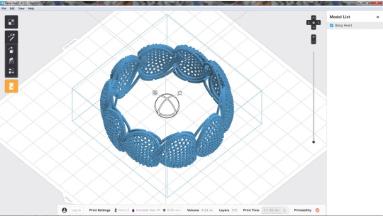
JewelCAD is a professional CAD/CAM software used for jewelry design/manufacturing, which is widely used in the jewelry processing industry in China. It is designed for jewelry production and application. The software is simple as a whole, and the interface functions and tools serve jewelry.
The curve drawing and deformation drawing commonly used in jewelry modeling are relatively convenient. The interface is simple and easy to use. Another advantage is its calculation and weighing function, which can be weighed in the software. It is very convenient to calculate the price and weight of gold and silver materials cast from jewelry.
The construction of the model is also very accurate, and the output format can be directly connected with domestic factories. On the whole, this software is more convenient than other software in the subsequent production of jewelry.
Applicable crowd: heavy industry jewelry design
CLO 3D
Field of illustration
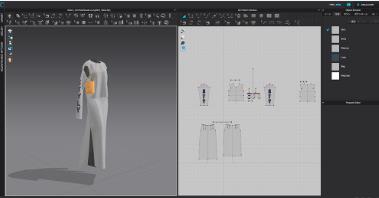
CLO 3D is a 3D clothing design software, which is also applicable to the business process of many clothing brands at present. It has very powerful functions and high operational accuracy.
CLO Enterprise can be used in combination with graphics design software such as Photoshop or Illustrator. It also has powerful drawing tools, which can easily design 2D graphics or 3D clothing templates. CLO Enterprise has a simulation design function, which can add accessories and buttons to clothing, and simulate the display effect of clothing through dynamic characters.
But comparatively speaking, CLO Enterprise is more suitable for programmed and conventional clothing design, and has some functional limitations for some 3D non wearable clothing designs.
Applicable crowd: clothing design modeling and simulation display effect
Architectural Space Department
[The space department also usually needs the support of software skills, and the choice of modeling software to learn is closely related to the form of design. That is to say, when choosing a portfolio to make software, you need to match and choose according to the final effect of your own design.]
Rhino
Interior design
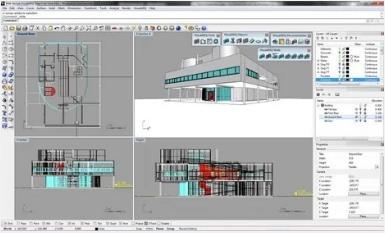
Rhino/Rhino is a powerful professional 3D modeling software, which can be widely used in 3D animation production, industrial manufacturing, scientific research, mechanical design and other fields. In the field of interior design, Rhino is increasingly widely used.
Rhino is equipped with model parameters and limit modification plug-ins, which makes the accuracy of Rhino's model quite high. At the same time, there is no special choice for the computer operating system for the later modification of the model, and the requirements for hardware configuration are not high.
Rhino has powerful functions and very high modeling accuracy. It often needs to work with 3D MAX, AutoCAD and MAYA in practical work, so it is also one of the necessary software for space professionals.
Applicable crowd: interior design, home design, 3D model design
Revit
Architectural design

Revit series software is built for building information model (BIM), and is one of the most widely used software in China's construction industry. It can help architectural designers design, build and maintain buildings with better quality and higher energy efficiency.
The main function of Revit is that the software has its own data statistics, and its data management and processing capabilities are very powerful, which can coordinate the entire construction process. After completing the finished drawings in other 3D modeling software, importing Revit can realize the completion of construction drawings in large quantities with high efficiency.
Applicable crowd: based on the construction needs of real places, it is possible to land
Maya
modeling
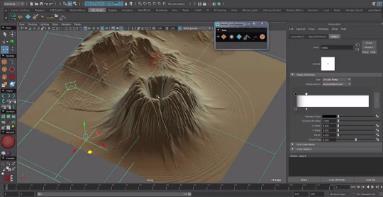
MAYA software is a famous 3D modeling and animation software under Autodesk, but because of its powerful modeling ability, the hair, bone, and particle systems in the software are frequently used in architectural design.
Maya is often used to create special-shaped and non-linear buildings. The bionic function of this software is excellent. MAYA's surface editing ability is far better than Rhino's. However, the accuracy of the scale is relatively low. There are only partially parameterized programs, which are not as widely used as Rhino.
Applicable crowd: rapid modeling, bionic space design
Department of Design Innovation
[As an emerging art field relying on the development of science and technology and innovative technology, the Department of Design Innovation has a very high dependence on design software, and also has a trend of emphasizing interdisciplinary skills in the field of computer science, so the application of software is more professional and the difficulty of self-study is higher]
Axure
Interaction design
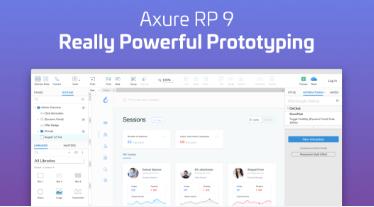
Axure RP is a professional rapid prototyping design tool, which is the most popular tool among interaction designers at present. It can quickly create wireframes, flowcharts, prototypes and specification documents of application software or Web sites, and support multi person collaborative design and version control management.
In addition, Axure can easily produce both low fidelity and high fidelity prototypes. Axure's low fidelity prototype color is mainly black, white and gray. It provides component libraries and various controls, and uses wireframes to build very clear product or software structures and interaction effects. It is one of the best ways to express the interaction design concept and user experience effect.
Applicable crowd: interactive design, building product prototypes
Sketch
Vector drawing software
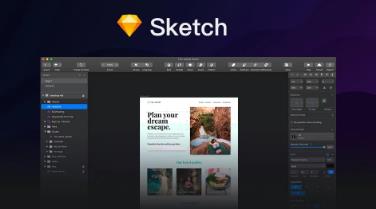
Sketch is a vector drawing software for all designers (Mac only). Vector drawing is currently the best way to design Web, icons and user interfaces. Sketch has defeated Adobe software to become the best tool ranked first.
But in addition to the vector editing function, Sketch also adds some basic bitmap tools, such as blur and color correction. In addition, it is simple to use and the interface is brief. For many students with zero foundation, the threshold for entry is very low. Sketch can replace PS, AI and Fireworks in many functions.
Applicable crowd: UI interface design, web page design, icon design, etc
PRO-E
Product/Industrial Design
PRO-E is the representative of engineering software. Its modeling and structural design functions are very powerful and rigorous. It can directly support manufacturing and production. It plays an important role in the field of 3D modeling software and is one of the mainstream 3D CAD/CAM software for mold and product design.
Pro/E adopts a modular approach, which can be used for sketch drawing, part manufacturing, assembly design, sheet metal design, processing, etc., to ensure that designers can choose to use according to their own needs, but it is difficult to start with in operation, and students need strong creative support.
Applicable group: precise product design, relatively solid professional foundation
Above all, we recommend 6 major departments of software suitable for different majors. Students can choose according to their own creation needs and preparation plans, and many software applications are common between different majors, without strict restrictions.
In addition, the software under the Adobe family (PS, PR, LR, AI....) is also something we often need to use in the creation process. Although it is not introduced above, it is also recommended that students can learn systematically.
Controlled by the National Teaching and Research Center of Natural Light, hundreds of art department instructors in 12 campuses led the teaching, and jointly launched boutique classes covering six major departments and disciplines, including software skills courses that art majors need to learn, to help students overcome creative problems and improve professional skills, bringing full online teaching support!
Recommendations for more portfolio production software:
Tools, a common tool for studying abroad in foreign clothing design, and clothing instructors share super powerful design APP
Art students studying abroad, 15 kinds of necessary APP for art students studying abroad: art/study/life/safety
This article belongs to the original article of Natural Light International Art Education Team. Without permission, it cannot be reproduced commercially in any form. If it is found, it must be investigated for legal responsibility.